- Filtered
- Posts
- My favorite Plugins for ChatGPT and how to access them
My favorite Plugins for ChatGPT and how to access them

Arjen Harris
May 18, 2023

Welcome to Filtered, a weekly newsletter with the latest insights, tools and content around AI, tech and productivity. Subscribe here if you haven’t already.
What’s on the menu
How to activate the Plugins feature
AI Travel assistant with Expedia (+ Prompt)
Write articles or tweets from web links
A cool Web browsing use-case
How to turn ChatGPT into your PA (video)
How to activate the Plugins feature
This week OpenAI has gradually started to enable Plugins and Web browsing for ChatGPT Plus users.
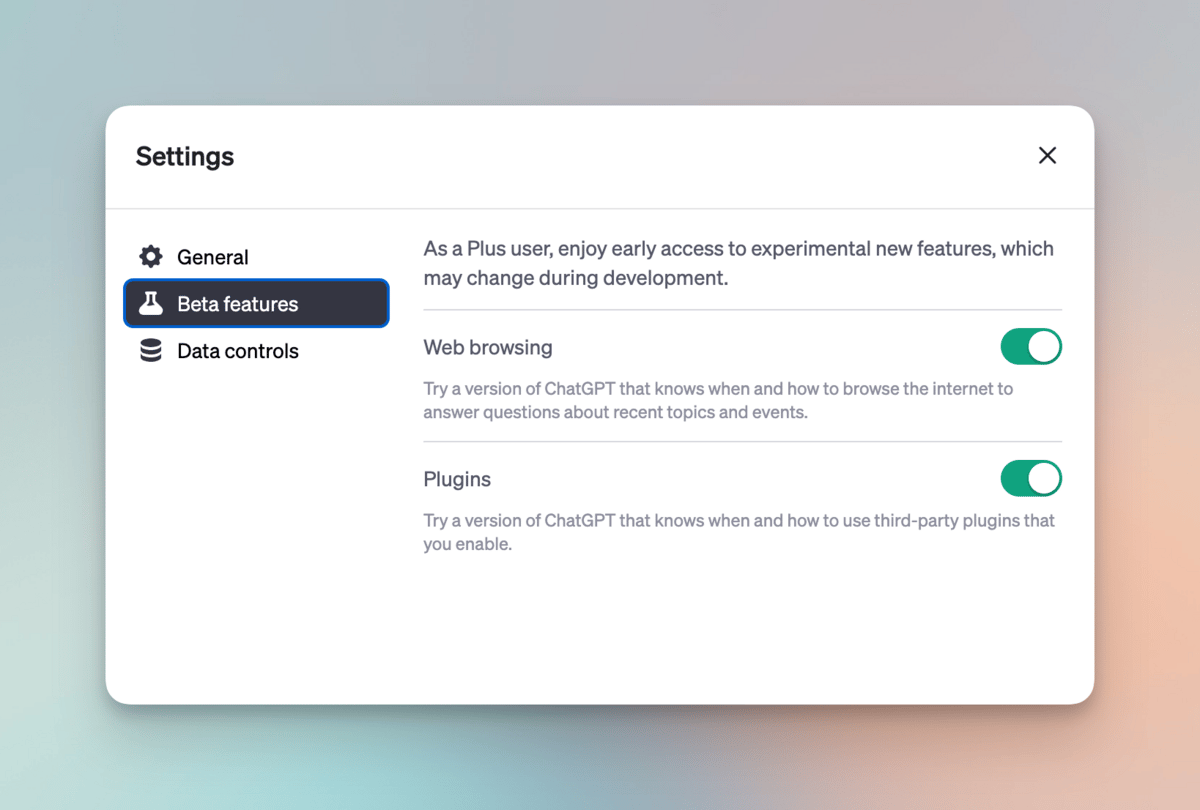
If you are on the Plus plan, you will now have the ability (or later this week) to toggle on ‘Beta Features’.
You’ll need Beta Features enabled so you can use Plugins and the Web browsing feature.
To do so, go to Settings and toggle on Beta Features.
AI Travel assistant with Expedia
Plugin: Expedia
Finding flights is a pain in the but and something I’d happily outsource to AI.
There’s always a ton of search work to be done, switching between different filters, etc. Not my cup of tea.
It’s still in the early stages, but I see a lot of potential here.
Install the Expedia plugin to get started. I crafted a prompt for you that makes the process a little simpler.
Just change the variables that might be different for you.
Here’s the prompt, just copy-paste:
Act as my travel agent and personal assistant. Your job is to provide me with the best travel experience.
You optimize for the quickest route and lowest price possible.
Rules for the search:
- I never want to fly before 9AM and after 7PM.
- Only recommend flights, not hotels
- Only include direct flights
- Always give me three options to choose from
Ask me these questions below.
After each answer, just respond with the next question. Nothing else.
After I answer question 4, start your search for the optimal flights and provide me your recommendation.
1. What’s your origin and destination?
2. One-way or return?
2. How many nights do you want to stay
3. When do you want to fly
Let’s begin with question 1.
Write based on links
Plugin: Webpilot
The basic functionality of the Plugin is that you can ask ChatGPT to write something based on a link.
Two potential use cases I see here:
Summarize an article, store the summary in your note taking system
Write content based on an article, and turn it into a tweet, thread, etc.
Obviously tread carefully with the second bullet. I like using AI as a starting point to then start connecting and forming your own ideas.
Use it for the legwork, create original work from that.

I asked it to create a Twitter thread based on an article I found
Web browsing
I wanted to test out Web browsing, so I thought about outsourcing one of the tasks I do often when visiting a new city; finding great restaurants.
I enabled the Web browsing feature and fed it this prompt:
I'm going to Amsterdam on holiday.
I want to eat in highly rated places that are not expensive.
Search the web and compile a list of ten of the most recommended restaurants you can find on food blogs.
Here’s the result, I was impressed as option 2. is one of my personal favs:
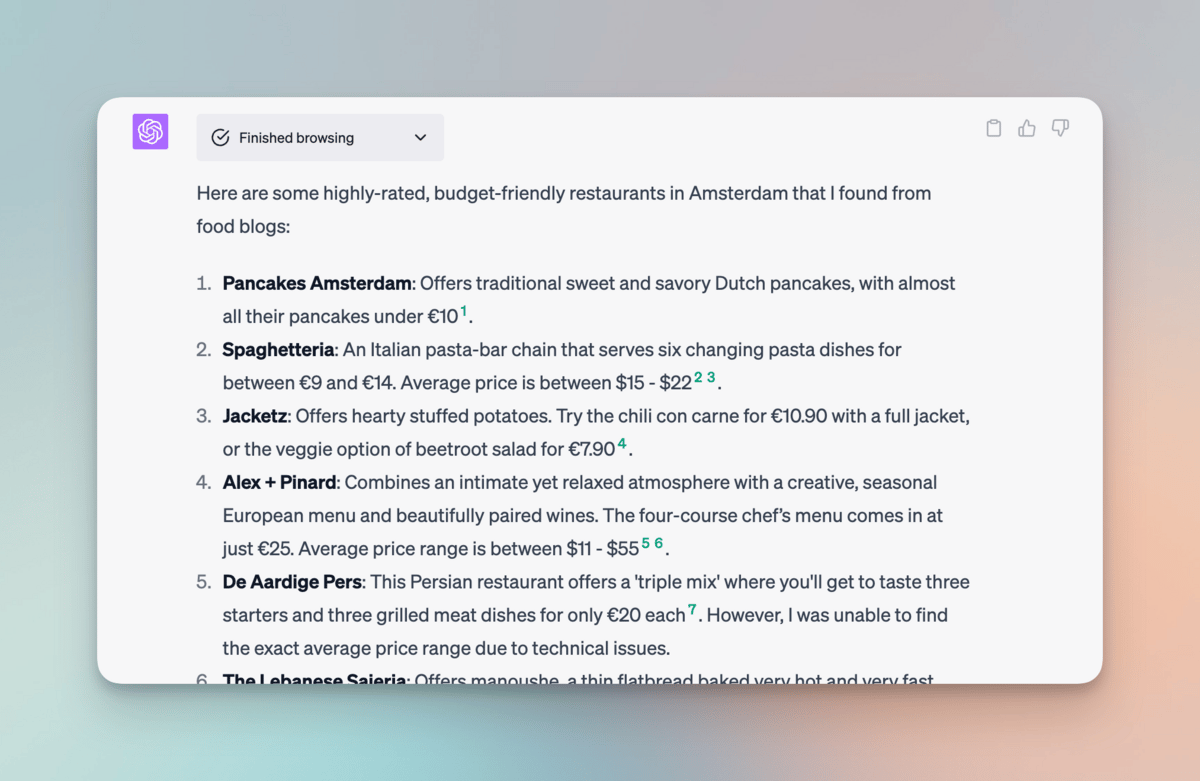
This feature eliminates googling and visiting multiple food blogs. Time saver.
You can tweak the prompt further by giving more criteria.
For example that the restaurants should be within walking distance from your hotel or of certain dietary preferences.
How to turn ChatGPT into your PA (video)
Personal assistants have been more or less exclusive to the most successful people like CEOs and entrepreneurs (that have seen success).
With ChatGPT, everyone can have a PA. You just need to know how to get the most out of it.
In this video, I explore five ways I’ve found value in outsourcing PA-type work to ChatGPT.
If you enjoyed this email, feel free to share it with a friend. It really helps :)
Cheers,